
How to Log Data From Water Meters to MySQL Database
A complete guide to polling water meters with RS232 connector and exporting the extracted data directly into a MySQL database.
1. Protocol Configuration: Flow & Water Meters
Communication Type: Active Polling (M-Bus / MODBUS)
Industrial water meters usually communicate via M-Bus (Meter-Bus) over RS232/RS485 using a level converter. Use the 'M-Bus Data Parser' plugin. The logger sends a REQ_UD2 (Request for Class 2 Data) frame to the specific meter address, and the parser will decode the responding telegram into volume, flow rate, and temperature variables.
Apply this base configuration for the serial connection:
{
  "port": "COM2",
  "baud_rate": 2400,
  "data_bits": 8,
  "stop_bits": 1,
  "parity": "even",
  "protocol": "mbus_en13757",
  "poll_interval_ms": 60000
}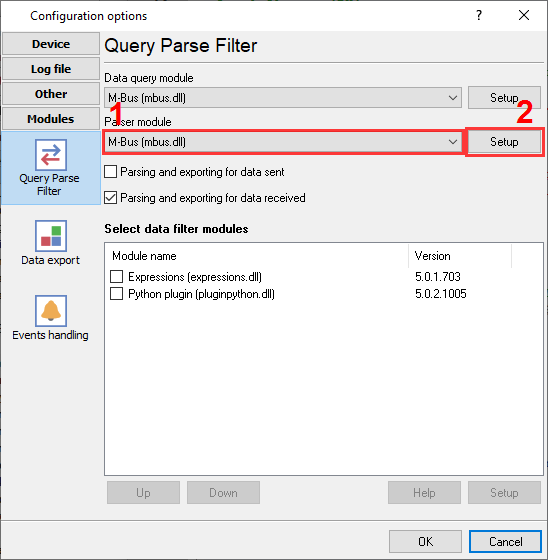
M-Bus plugin selection to read water meter data.
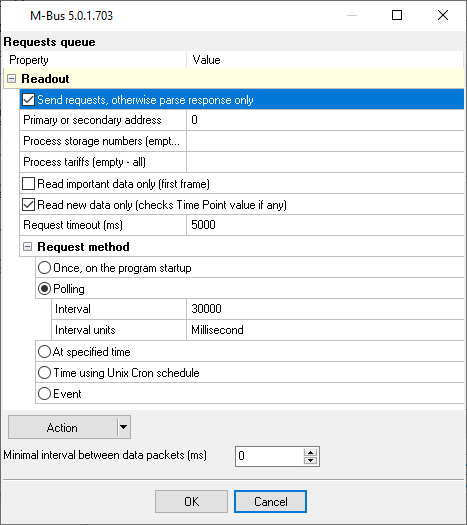
M-Bus plugin configuration.
Ready to connect Flow & Water Meters to MySQL?
2. Database Setup: MySQL
You will need the MySQL Connector/ODBC installed on the machine running the Data Logger. Create a System DSN pointing to your MySQL server instance.
Use the following SQL script to create your target table. We recommend using the InnoDB engine to handle high-frequency concurrent inserts without table locking.
CREATE TABLE sensor_data (
  id INT AUTO_INCREMENT PRIMARY KEY,
  log_timestamp DATETIME DEFAULT CURRENT_TIMESTAMP,
  device_id VARCHAR(50),
  register_value FLOAT
) ENGINE=InnoDB;
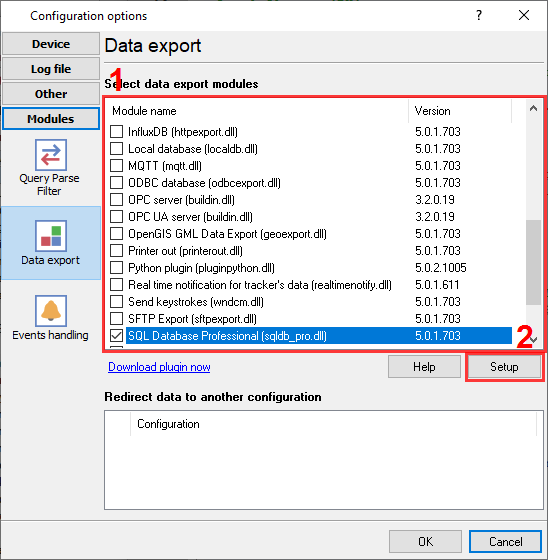
MySQL plugin to export data.
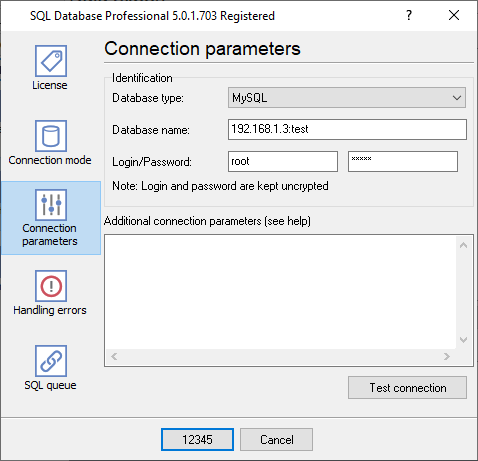
MySQL database connection settings.
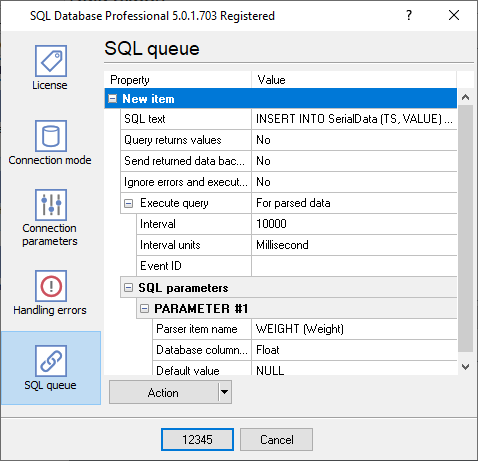
INSERT SQL statements in a queue with custom parameters.
3. Protocol-Specific Troubleshooting
- Receiving garbage hex data instead of M-Bus telegrams: M-Bus strictly requires Even parity. Check your COM port settings in the Data Logger and ensure it is set to 8 Data Bits, 1 Stop Bit, and Even Parity.
- The logger displays non-readable data (strange characters) instead of expected HEX codes: You need to change the "Data View" mode in logger's settings. Select "Display as #XX" for all byte ranges.
- What values can the logger read: M-Bus allows the logger to read all available values at once. The logger exports them as separate values (variables).
4. Database-Specific Troubleshooting
- MySQL server has gone away: If your serial device is idle overnight, MySQL will drop the connection. Enable the 'Keep connection alive' setting in the Data Logger's ODBC export module.
- How can I insert or update a data row for my device?: You can use any SQL query in our 'SQL Database Pro' plugin. In MySQL, you can easily execute the following SQL: 'INSERT INTO ....... ON DUBLICATE KEY .... UPDATE ....'.
- I want to write data from each of my devices to a different table. How can I do it?: In the 'SQL Database Pro' plugin, you can use a placeholder in your SQL. For example, 'INSERT INTO SerialData%DEVICE_ID% (....)'. Before executing SQL, the logger replaces %DEVICE_ID% with the corresponding value from parsed data, and the real destination table will vary (SerialData1, SerialData2, etc.).