
How to Log Data From Laboratory Instruments to MySQL Database
A complete guide to polling laboratory instruments with RS232 connector and exporting the extracted data directly into a MySQL database.
1. Protocol Configuration: Laboratory Instruments
Communication Type: Passive Listening / Bidirectional (RS232 or USB Virtual COM)
Spectrophotometers, titrators, and blood analyzers often use proprietary ASCII formats or ASTM E1381/E1394 protocols. If the instrument outputs raw ASCII, use the 'ASCII Data Parser'. If it uses ASTM, you must use the dedicated 'ASTM Data Parser' plugin to correctly unpack the Header (H), Patient (P), Order (O), and Result (R) records.
Apply this base configuration for the serial connection:
{
  "port": "COM4",
  "baud_rate": 9600,
  "data_bits": 8,
  "stop_bits": 1,
  "parity": "none",
  "parser_type": "astm_e1381",
  "ack_nak_handshake": true
}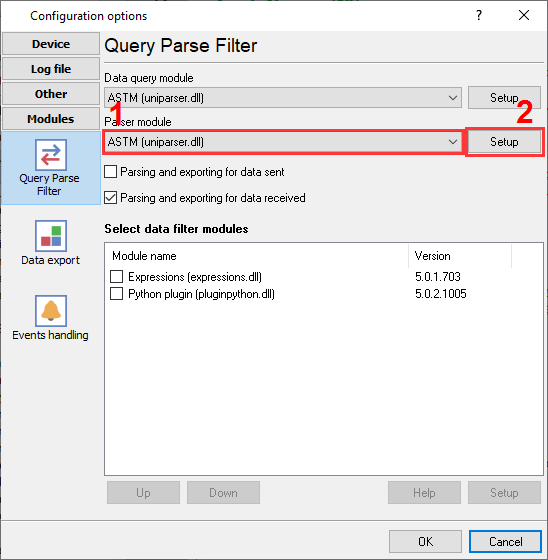
Lab instruments data parser.
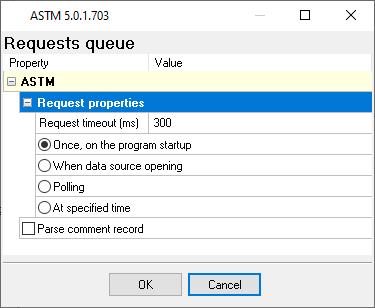
ASTM protocol parser settings.
Ready to connect Laboratory Instruments to MySQL?
2. Database Setup: MySQL
You will need the MySQL Connector/ODBC installed on the machine running the Data Logger. Create a System DSN pointing to your MySQL server instance.
Use the following SQL script to create your target table. We recommend using the InnoDB engine to handle high-frequency concurrent inserts without table locking.
CREATE TABLE sensor_data (
  id INT AUTO_INCREMENT PRIMARY KEY,
  log_timestamp DATETIME DEFAULT CURRENT_TIMESTAMP,
  device_id VARCHAR(50),
  register_value FLOAT
) ENGINE=InnoDB;
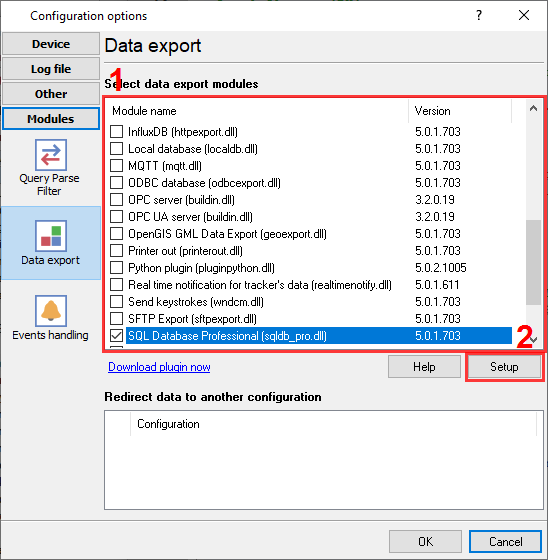
MySQL plugin to export data.
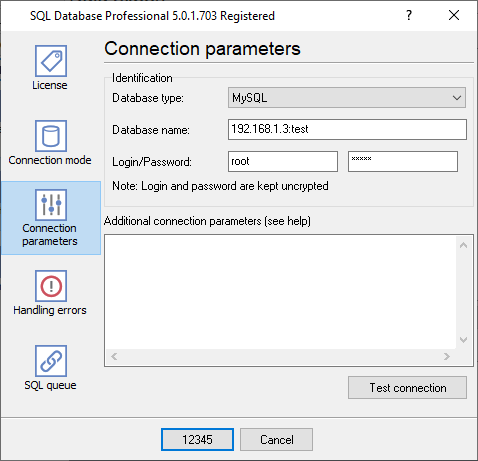
MySQL database connection settings.
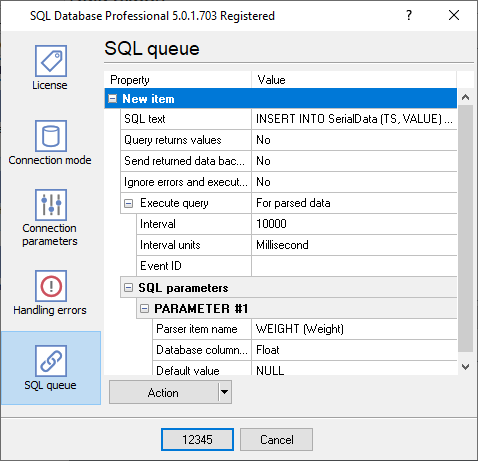
INSERT SQL statements in a queue with custom parameters.
3. Protocol-Specific Troubleshooting
- The instrument does not send data at all: Some instruments send data only when you press the "Print" button on it or require a special command from the host computer.
- The instrument sends one record and then stops transmitting: Many lab instruments require an ACK (Acknowledge) character after receiving a data block. Enable the 'ACK/NAK handshake' feature in the Data Logger so it replies and prompts the instrument to send the next batch.
- The program does not extract all data. Some fields are missed: By default, the logger extracts significant data only. You can create your parser using ASCII Data Parser plugin or ask our support team.
4. Database-Specific Troubleshooting
- MySQL server has gone away: If your serial device is idle overnight, MySQL will drop the connection. Enable the 'Keep connection alive' setting in the Data Logger's ODBC export module.
- How can I insert or update a data row for my device?: You can use any SQL query in our 'SQL Database Pro' plugin. In MySQL, you can easily execute the following SQL: 'INSERT INTO ....... ON DUBLICATE KEY .... UPDATE ....'.
- I want to write data from each of my devices to a different table. How can I do it?: In the 'SQL Database Pro' plugin, you can use a placeholder in your SQL. For example, 'INSERT INTO SerialData%DEVICE_ID% (....)'. Before executing SQL, the logger replaces %DEVICE_ID% with the corresponding value from parsed data, and the real destination table will vary (SerialData1, SerialData2, etc.).