
Polling And Logging Weight Scale Device to Postgre SQL
A complete guide to read data from RS232 weight measuring serial devices and exporting parsed values directly into a PostgreSQL database with your database structure.
1. Protocol Configuration: RS232 Weight Scale
Communication Type: Passive Listening (Continuous or Print-on-Demand)
Most industrial scales send ASCII strings terminated by a Carriage Return (CR) and Line Feed (LF). Use the software's 'ASCII Data Parser' module and set the data packet signature to ending characters '#0D#0A'. You can then extract the numeric weight by specifying fixed column positions or using a regular expression. Furthermore, the logger contains pre-defined parsers for the most popular scales.
Apply this base configuration for the serial connection:
{
  "port": "COM1",
  "baud_rate": 9600,
  "data_bits": 8,
  "stop_bits": 1,
  "parity": "none",
  "flow_control": "hardware",
  "packet_end": "#0D#0A"
}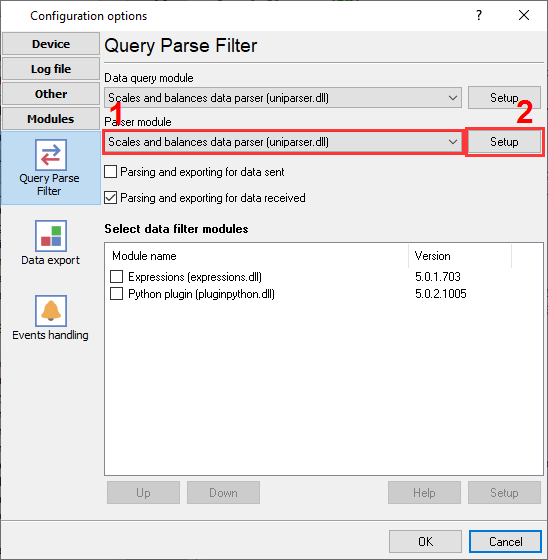
Weight scales and balanced plugin selection to poll a device and parse incoming data.
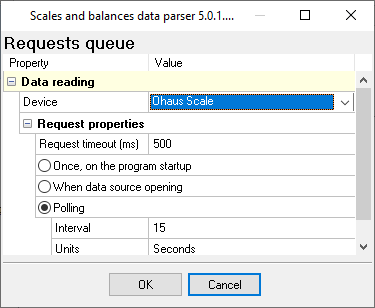
Weight scales and balanced plugin configuration: weight scale type and polling interval.
Ready to connect RS232 Weight Scale to PostgreSQL?
2. Database Setup: PostgreSQL
Install the PostgreSQL ODBC Driver (psqlODBC) on the server running Advanced Serial Data Logger. Create a System DSN or use a direct connection string in the SQL Database Professional plugin like 192.168.1.100:mydatabase.
Use the following SQL script to create your target table. Ensure your user role has INSERT privileges for the target schema. Use the NUMERIC data type to prevent floating-point precision loss from raw sensor data.
CREATE TABLE rs232_logs (
  id SERIAL PRIMARY KEY,
  log_timestamp TIMESTAMP DEFAULT CURRENT_TIMESTAMP,
  device_name VARCHAR(50),
  extracted_value NUMERIC(10, 2)
);
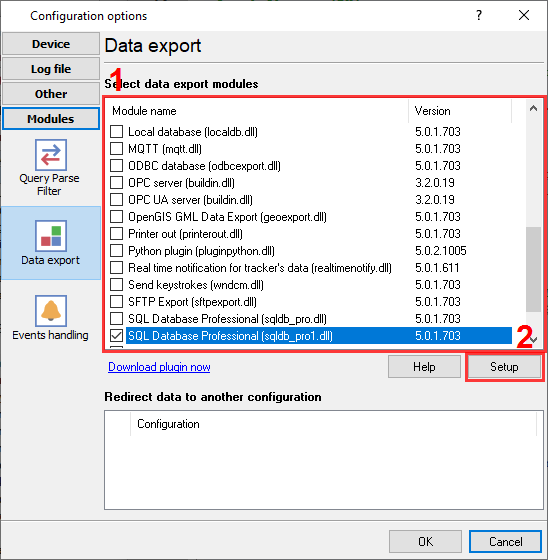
PostgreSQL database connector selection.
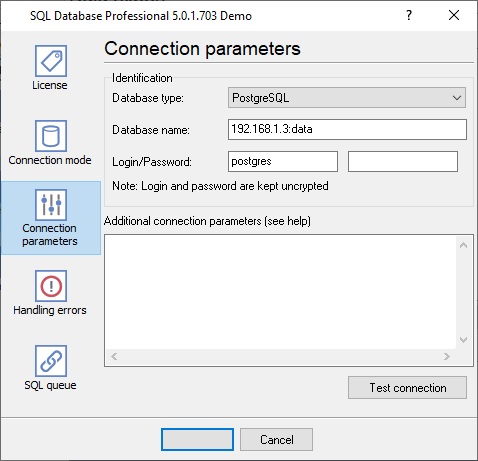
PgSQL database connection settings.
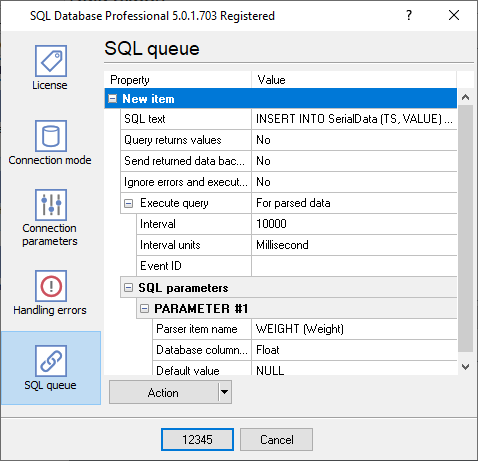
SQL queue to insert data in your table.
3. Protocol-Specific Troubleshooting
- Garbage characters appearing on the screen: This almost always indicates a baud rate or parity mismatch. 9600-8-N-1 is standard, but older Mettler Toledo or Ohaus scales frequently use 2400 baud or 7-Even-1 parity. Check the hardware manual.
- Is it possible to process stable weight only and ignore intermediate values?: Use one of our filter plugins, and for example, ignore all records without the "stable" signature in a data packet.
- Is it possible to process weight values greater that 100.0 kg?: The Expressions filter plugin allows you to using any math expression For example, the following command: DISCARD_DATA_PACKET_IF(WEIGHT < 100).
4. Database-Specific Troubleshooting
- FATAL: password authentication failed: Verify that your pg_hba.conf file allows connections from the Data Logger's IP address (if remote) and that the authentication method is set to md5 or scram-sha-256.
- I have two similar records with the same timestamp in my database for every record: Verify that you do not use two data export plugins at the same time. For example, ODBC Database and SQL Database Pro because they can export your data in parallel.
- I've installed ODBC drivers and created a DSN, but your software does not allow me to select it.: Our software requires 32-bit ODBC drivers. Therefore, you should install this version of drivers to create a DSN in the 32-bit ODBC Administrator. You can use the 'Setup' button in the 'ODBC Database' plugin to do it.